
What Is Managed IT Services? A Small Business Guide
What is managed IT services? Discover how managed IT services help small businesses improve security, reduce downtime, and control IT costs.


What is managed IT services? Discover how managed IT services help small businesses improve security, reduce downtime, and control IT costs.
I‑Net Software Solutions is now an approved supplier on G‑Cloud 15, supporting UK public sector organisations with secure, scalable cloud support services. Public sector organisations across the UK are under pressure to modernise legacy systems, strengthen security, and deliver better digital services for citizens. Yet cloud adoption can feel complex, risky, and resource‑heavy especially for teams already stretched thin. Downtime, compliance gaps, and rising cyber threats make cloud transformation even more challenging for councils, NHS trusts, and government bodies. I‑Net Software Solutions has already supported public sector organisations through G‑Cloud 14, and our continued inclusion in G‑Cloud 15 reinforces our commitment to delivering secure, scalable, and future‑ready cloud support services. What G‑Cloud 15 Means for UK Public Sector Organisations G‑Cloud 15 is the UK Government’s flagship cloud procurement framework, enabling public sector organisations to procure cloud hosting, software, and support services quickly and transparently. Being listed ensures suppliers meet strict standards around capability, security, and service quality. For buyers, this means faster procurement, reduced risk, and access to pre‑vetted cloud specialists. Our Cloud Support Services for the UK Public Sector As part of our G‑Cloud 15 listing, our offering includes: Cloud Strategy & Migration – We help organisations assess readiness, design secure cloud architectures, and migrate legacy systems with minimal disruption. Cloud DevOps & Automation – We accelerate delivery through CI/CD pipelines, automated deployments, and cloud‑native engineering. Cloud Security & Compliance – We strengthen cloud environments with security hardening, identity management, and alignment to UK public sector compliance standards. Managed Cloud & IT Support – We provide 24/7 monitoring, proactive incident response, and high‑availability operations backed by strong performance metrics. Digital Transformation & AI‑Driven Optimisation – We support organisations in modernising workflows, automating processes, and using data and AI to improve decision‑making. Building on Our G‑Cloud 14 Success Our work under G‑Cloud 14 enabled public sector organisations to modernise critical systems, improve operational resilience, and strengthen cloud security. G‑Cloud 15 allows us to continue this momentum, offering enhanced cloud support services aligned with evolving government priorities and digital transformation goals. Why Public Sector Organisations Choose I‑Net Software Solutions With nearly two decades of experience supporting UK public sector organisations, I‑Net delivers trusted cloud expertise backed by strong security and a cloud‑first engineering approach. Our G‑Cloud 15 listing reinforces this commitment, enabling organisations to procure reliable cloud support for migration, optimisation, and long‑term digital transformation through the Digital Marketplace. Explore our Cloud Support Services or speak to an I‑Net Software Solutions consultant today. Connect with us on LinkedIn “Our continued inclusion in G‑Cloud from G‑Cloud 14 through to G‑Cloud 15 reflects our commitment to delivering secure, reliable, and future‑ready cloud solutions for the UK public sector. We are proud to support organisations that serve millions of citizens, and we remain focused on helping them modernise with confidence and clarity.” — Srinivas Gunda, CEO, I‑Net Software Solutions Frequently Asked Questions

Cyber‑attacks are becoming more frequent and more expensive for UK organisations. The latest UK Government research shows that a significant proportion of businesses experienced a cyber breach or attack in the past year. The financial impact continues to rise, with the average cost of a significant cyber incident now estimated at £195,000 for UK businesses. Across the wider economy, cyber attacks are estimated to cost the UK £14.7 billion annually. For many organisations, the real shock is not the breach itself. It is the chain reaction that follows. A single cyber attack can trigger operational shutdowns, legal obligations, customer loss and weeks of disruption, a pattern reflected across the latest NCSC reporting and global analysis from the World Economic Forum. Attackers now move faster and target smaller firms more aggressively, which means the financial damage builds quickly. This guide breaks down every cost category you need to understand, from direct recovery to GDPR fines, so you can see the full financial impact and what it means for your business. How Much Does a Data Breach Cost a UK Business? The cost of a data breach in the UK varies widely, but every credible source shows the same trend. It is rising quickly. The latest NCSC cyber security report UK confirms that a significant number of organisations identified a breach in the past year, and many of these incidents resulted in direct financial loss. When you look at the full picture, the question how much does a data breach cost UK businesses has no single answer, but there are clear cost ranges that most small firms fall into. A breach typically generates several direct expenses, which can start at a few thousand pounds and rise sharply depending on the scale of the incident. Beyond the technical recovery, businesses often face lost revenue, staff overtime, customer refunds and the time spent managing the incident. Direct data breach cost factors include: For many small businesses, the financial impact ranges from £15,000 to £110,000. Ransomware Recovery Costs: What UK Businesses Are Really Paying Ransomware remains the most financially damaging attack type. The financial impact of a cyber attack UK businesses face goes far beyond the ransom demand itself. Typical cost components include: Hiring an external cyber incident response UK team alone can cost between £5,000 and £50,000, depending on severity. Research from Forrester shows that modern ransomware attacks are becoming more disruptive, which increases recovery time and cost. The ransomware recovery cost UK SMEs face often exceeds £100,000 when downtime and lost sales are included. The Hidden Costs: Downtime, Business Interruption and Lost Productivity The financial impact of a cyber attack is rarely limited to technical recovery. For many organisations, the most expensive part is the downtime that follows. Even a short interruption can slow sales, delay service delivery and prevent staff from completing essential work. Common hidden cost areas include: These costs build quickly. A single day of downtime can cost a small business thousands of pounds, especially if it relies on online sales, bookings or internal systems to operate. The impact is even greater when the attack affects customer‑facing services or critical internal processes. Productivity loss also continues after systems come back online. Teams often spend days catching up on missed work, re‑entering data, checking for errors and managing customer concerns. This extended disruption adds to the overall financial burden and slows down normal business activity. GDPR Fines and Legal Costs After a Data Breach A data breach does not only create technical and operational costs. It also triggers legal and regulatory obligations that can increase the overall financial impact. UK organisations must follow strict GDPR and ICO reporting rules, especially when personal data is exposed. Typical legal and compliance cost areas include: GDPR fines vary depending on the severity of the breach, the type of data involved and whether the organisation had appropriate security controls in place. Even smaller fines can create financial pressure for a small business, especially when combined with legal fees and customer compensation. Many organisations also face indirect legal costs. These include time spent preparing statements, responding to customer concerns, reviewing contracts and updating internal policies. This additional workload slows down normal operations and adds to the overall cost of the incident. Reputational Damage: The Long-Term Cost Nobody Talks About The financial impact of a cyber attack does not end when systems are restored. Reputational damage can create long term consequences that are harder to measure but often more costly than the initial incident. Customers lose confidence quickly when their data is exposed or when a business experiences prolonged downtime. Common reputational impact areas include: Rebuilding trust takes time. Many small businesses see a drop in customer engagement for months after a breach, even if the technical issues are resolved. Prospective clients may also hesitate to work with a business that has recently suffered a cyber incident, especially in sectors where data protection is critical. Marketing and communication efforts often increase after a breach. Businesses may need to invest in customer reassurance campaigns, updated messaging and improved transparency. These additional costs add to the overall financial impact and extend the recovery period. How to Reduce the Cost of a Cyber Attack for Your Business The financial impact of a cyber attack can be significantly reduced with the right controls in place. Most of the cost comes from downtime, recovery work and the disruption that follows. Strengthening your security posture lowers the likelihood of an incident and reduces the scale of damage if one occurs. Key steps that help reduce cyber attack costs include: These measures help limit the spread of an attack, reduce downtime and speed up recovery. Even simple improvements, such as stronger passwords or better backup routines, can prevent a small incident from becoming a costly disruption. Businesses that prepare in advance recover faster and face fewer long term consequences. A clear plan, reliable backups and strong security controls make the biggest difference when an incident occurs. What This Means for UK Business Leaders
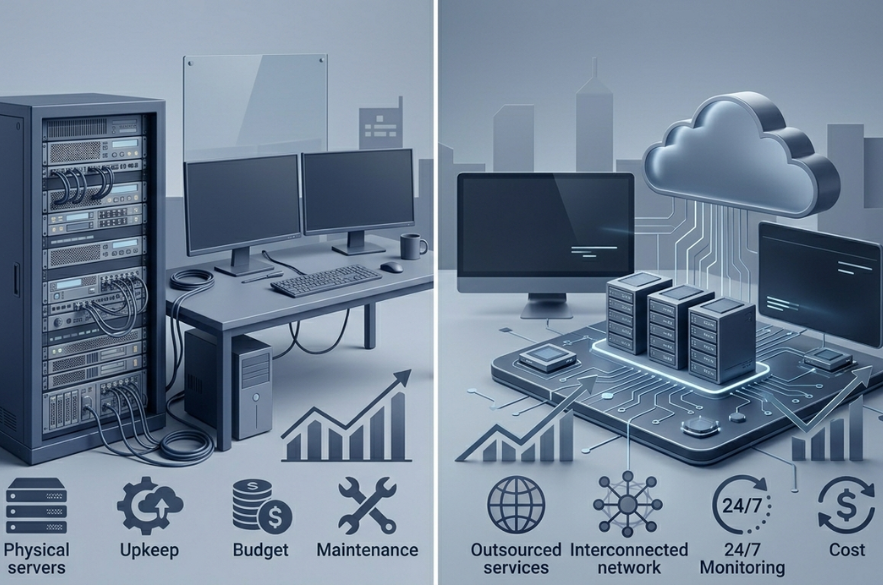
When something breaks, a dead laptop, a dropped connection, a suspicious email, your business needs it fixed fast. The question every growing UK company faces is how to resource that: build an in-house team, or partner with a Managed Service Provider (MSP)? Both work. They just cost very differently once you look past the headline numbers. This guide breaks down the real figures for 2026, so the decision rests on data instead of guesswork. The cost of hiring in-house An internal hire starts with salary. In the UK in 2026, the median IT support technician earns £28,500 a year. In London it’s higher, around £29,400, roughly 10% above the national average. But salary understates the real cost. A full-time hire also carries: Add these up and one engineer costs far more than their salary. Industry analysis puts the true cost of a single in-house IT engineer at £30,000–£45,000 once NI, pension, training, and tools are included, about £150–£225 per user per month for a 20-person business. That covers one person, business hours, one location. The cost of a Managed Service Provider An MSP delivers IT support for a fixed monthly fee per user. UK pricing in 2026 is well established across the market and falls into clear tiers: These bands hold consistent across multiple independent UK pricing guides for 2026. For a typical SMB, the standard tier covers what most businesses need. The model also scales cleanly. A typical 30-person SME pays £1,350–£3,600 per month for managed IT, depending on the service level with cover, tools, and a full team built into that single figure. What’s included matters as much as the price The headline number only tells half the story. The real value is in what each model covers. A standard MSP package typically bundles services that an in-house setup would purchase separately: With an MSP, a managed contract provides broader expertise, guaranteed cover during holidays and sickness, and included cybersecurity tools, capabilities that would each carry their own cost in-house. The cost of downtime There’s one cost both models exist to prevent: your systems going down. For an SMB, downtime is expensive. Reactive IT can cost a small business upwards of £500 per hour in lost productivity when systems fail and work stops. This is where proactive support earns its keep. Continuous monitoring catches problems before they cause an outage, 24-hour monitoring, automated patch management, and rapid incident response are the baseline of a managed service. Prevention rarely shows on an invoice, but it’s often where the largest savings sit. When each model fits The right choice depends on the business. An in-house team suits organizations that: An MSP suits organizations that: Many growing businesses combine both, a small internal team for day-to-day needs, with an MSP handling security, monitoring, and out-of-hours cover. Choosing a provider with confidence Not every quote is equal. When comparing MSPs, look for: The same care applies to hiring internally. The right fit, on either path, is the one that keeps your business running. The bottom line For most UK SMBs with 10–50 staff, an MSP delivers a full team, bundled security, and guaranteed cover for a predictable monthly cost, often below the true cost of a single in-house hire once every expense is counted. For larger or build-focused businesses, an in-house or hybrid team earns its place. The deciding question isn’t simply which costs less this month. It’s which model keeps your business secure, supported, and running when it matters most. Ready to find your real number? Every business is different, and the right IT model depends on yours. I-NET Software Solutions helps UK businesses compare the true cost of their IT and build support that fits, without the hidden extras. Get a free, no-obligation IT assessment and see exactly what your IT should cost.
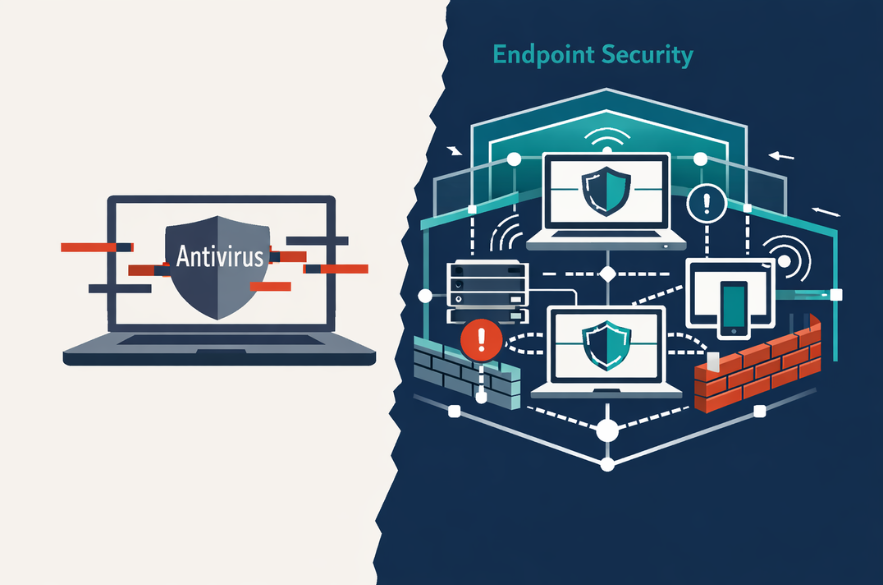
The threat landscape has shifted from simple malware to multi-stage attacks involving: The Verizon Data Breach Investigations Report consistently shows that human error, stolen credentials, and system vulnerabilities remain primary entry points for attackers. This means protection must go beyond blocking known threats. It must detect and respond to unknown behaviour. What Antivirus Was Designed to Do, And Where It Falls Short Today Traditional antivirus was built for a different era. Signature-Based Detection Antivirus tools identify threats by matching files against a database of known malware signatures. This works well for previously identified threats but struggles with new or evolving attack methods. The Problem With Modern Threats Modern cyber attacks often use: These techniques do not match known signatures. Reactive Security Antivirus acts after a threat is recognised. By that point, damage may already be underway. This reactive model is increasingly insufficient in a threat environment that evolves in real time. What Endpoint Security Actually Includes Endpoint security represents a broader, more modern approach. It combines prevention, detection, and response into a single operational framework. Endpoint Protection vs Detection Endpoint protection includes baseline safeguards, but modern systems extend this with continuous monitoring. Role of EDR (Endpoint Detection and Response) EDR tools analyse behaviour across devices to identify suspicious activity, even when no known malware signature exists. Continuous Monitoring Instead of waiting for known threats, endpoint security watches for anomalies, unusual behaviour, and system changes. Endpoint Security vs Antivirus: The Core Differences The distinction is not incremental. It is fundamental. Capability Antivirus Endpoint Security Detection method Signature-based Behavioural + AI-driven Threat coverage Known threats Known + unknown threats Response capability Limited Active response & containment Visibility Device-level Network-wide visibility Protection model Reactive Proactive + reactive This is why the shift toward endpoint security is accelerating. Why Antivirus Alone Is No Longer Enough for Businesses The evolution of threats has outpaced traditional protection. The National Cyber Security Centre highlights ransomware as one of the most significant risks facing organisations, often involving techniques that bypass simple detection tools. Modern risks include: These require detection, visibility, and response, not just blocking Where Endpoint Security Delivers Real Business Value Endpoint security is not just a technical upgrade. It has operational impact. Reduced Breach Risk Faster detection limits the spread of attacks. Faster Incident Response Automated containment reduces downtime. Operational Continuity Systems remain functional during attempted attacks. Compliance Alignment Supports UK GDPR principles of security by design Cyber Insurance Readiness Insurers increasingly expect advanced endpoint controls. Do Businesses Need Both Endpoint Security and Antivirus? This is a common misunderstanding. Modern endpoint security platforms often include antivirus capabilities as one layer within a broader system. The real shift is not replacing antivirus, it is moving beyond it. Businesses are no longer choosing between the two. They are choosing whether to operate with: What UK SMBs Should Look for in Endpoint Security Solutions Decision-makers should focus on capability, not branding. Key considerations include: The goal is not simply protection, it is control and awareness. The Strategic Risk of Staying With Antivirus Alone The risk is not immediate failure. It is delayed detection. By the time a threat is visible, it may already have: This creates a gap between perceived security and actual resilience. What This Means for Business Leaders The shift from antivirus to endpoint security reflects a broader change in how cyber risk is managed. Security is no longer about blocking threats at the edge. It is about understanding activity across the organisation and responding quickly when something goes wrong. For SMEs, this is not about adopting enterprise complexity. It is about adopting modern protection that reflects modern risk. Understanding Your Current Level of Protection Many organisations assume their current setup is sufficient because no major incident has occurred. A more useful question is whether your current systems can: I-Net Software Solutions works with UK businesses to assess how endpoint security is currently structured and where gaps may exist between perceived protection and actual capability. For organisations navigating increasing cyber risk, clarity often becomes the most valuable starting point. Recommended Read
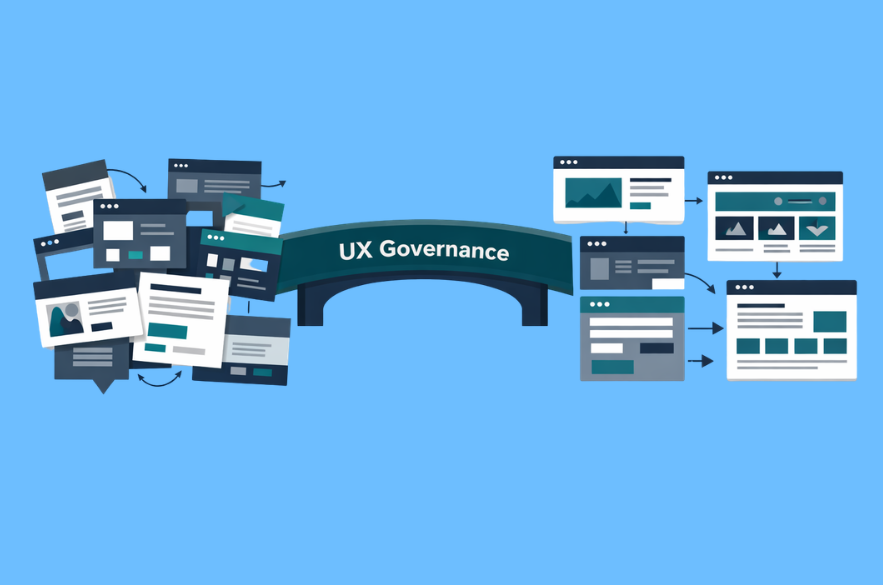
Growth exposes weaknesses that smaller organisations can temporarily ignore. A website that once felt “good enough” starts to fragment. New landing pages appear without consistency. Customer journeys diverge across channels. Accessibility becomes uneven. Internal teams make digital decisions in isolation. Over time, the business experiences the symptoms before it identifies the cause: lower conversion confidence, higher support friction, inconsistent brand perception, and slower digital delivery. This is where UX governance becomes commercially important. In growing businesses, user experience design services should not be limited to interface improvement. They should help establish the standards, decision-making discipline, and operational consistency that allow digital experiences to scale properly. UX strategy is a plan of action that creates shared direction for improving an organisation’s user experience over time, which is precisely what governance formalises in practice. The issue is not whether UX matters. The issue is whether the business has a way to manage it deliberately. Why UX Governance Matters More as a Business Grows In an early-stage organisation, a small team can often maintain experience quality informally. Decisions are centralised, digital channels are limited, and inconsistency is easier to spot. Growth changes that. More teams touch the customer experience. More systems feed into the digital journey. More campaigns, services, and product changes increase the risk of fragmentation. Without governance, UX quality becomes dependent on individual judgement rather than business standards. That matters because experience quality is strongly linked to commercial performance. McKinsey’s research found that companies in the top quartile of its Design Index outperformed industry counterparts by 32 percentage points in revenue growth and 56 percentage points in total returns to shareholders over five years. For a growing SME, that does not mean copying enterprise design structures. It means recognising that unmanaged user experience eventually becomes a growth constraint. Good UX Governance Starts With Clear Ownership One of the clearest signs of weak UX governance is that nobody can answer a simple question: who owns the experience? That does not always mean a dedicated UX leader. In many SMEs, ownership may sit across marketing, digital, product, operations, or leadership teams. What matters is that accountability is visible and decision rights are clear. Without ownership: Governance creates a framework in which UX decisions are not made in isolation. It defines who approves patterns, who prioritises improvements, who maintains standards, and who reviews performance. This is particularly important in B2B environments where digital journeys often span multiple touchpoints. UX is not just what happens on the website home page. It includes forms, onboarding, support flows, portals, service interactions, and all of the friction between them. Standards Matter More Than Style Guides Many businesses assume governance means documentation. In reality, documentation is only one output. Good UX governance relies on standards that shape execution consistently. These may include: The point is not creative restriction. It is operational consistency. This is where the distinction between design and governance becomes important. Design creates solutions. Governance makes sure those solutions remain coherent as the organisation evolves. That coherence matters commercially. Forrester reported in 2024 that customer-obsessed organisations achieved 41% faster revenue growth, 49% faster profit growth, and 51% better customer retention than non-customer-obsessed organisations. While customer obsession is broader than UX alone, consistent digital experience is part of how that standard is delivered. Accessibility Cannot Sit Outside Governance Accessibility is often treated as a compliance check performed at the end of a project. That is a weak governance model. In a growing business, accessibility should be embedded into the standards that shape design and content decisions from the outset. GOV.UK guidance is explicit that services must be accessible and that organisations may be breaking the law if they do not make digital services accessible. GOV.UK also frames accessibility around making services perceivable, operable, understandable, and robust, reflecting WCAG principles. For commercial businesses, the practical implication is simple: if accessibility is not governed, it becomes inconsistent. That creates risk in several forms: Governance ensures accessibility is not dependent on who happened to build a page or publish a campaign. Measurement Is What Makes Governance Real Governance that cannot be measured usually degrades into opinion. Strong UX governance includes a measurement model. That does not need to be overly complex, but it should connect experience quality to business outcomes. Leadership should demand rigour in how design value is discussed and measured, balancing quantitative and qualitative evidence. In practical terms, a growing business should be monitoring indicators such as: This is where user experience design services should move beyond page-level design work. Mature support means helping the business build a repeatable framework for identifying where experience quality is helping growth and where it is holding it back. Without measurement, businesses tend to redesign reactively. With governance, they improve deliberately. Governance Also Speeds Up Delivery There is a persistent assumption that governance slows teams down. In reality, weak governance is usually what causes rework. When standards are unclear, teams redesign common elements repeatedly. Approval processes become inconsistent. Accessibility issues are discovered late. Messaging varies by department. Development effort goes into solving problems that should already have agreed answers. Good governance reduces this waste. Mature organisations strengthen processes, leadership support, and longevity around UX, not just design output. That is a useful lens for growing businesses: governance is what turns UX from a set of isolated improvements into an organisational capability. For SMEs, this can be especially valuable because lean teams cannot afford duplicated effort. What Good UX Governance Looks Like in Practice In a growing business, good UX governance is rarely a large formal programme. More often, it is a practical operating model with five visible characteristics. 1. There is a shared UX direction The business has an agreed view of what good experience should deliver and how it supports commercial objectives. 2. Standards are documented and used Patterns, templates, and accessibility expectations are defined clearly enough to guide day-to-day execution. 3. Decision-making is owned The organisation knows who approves changes, who maintains standards, and how priorities are set. 4. Experience
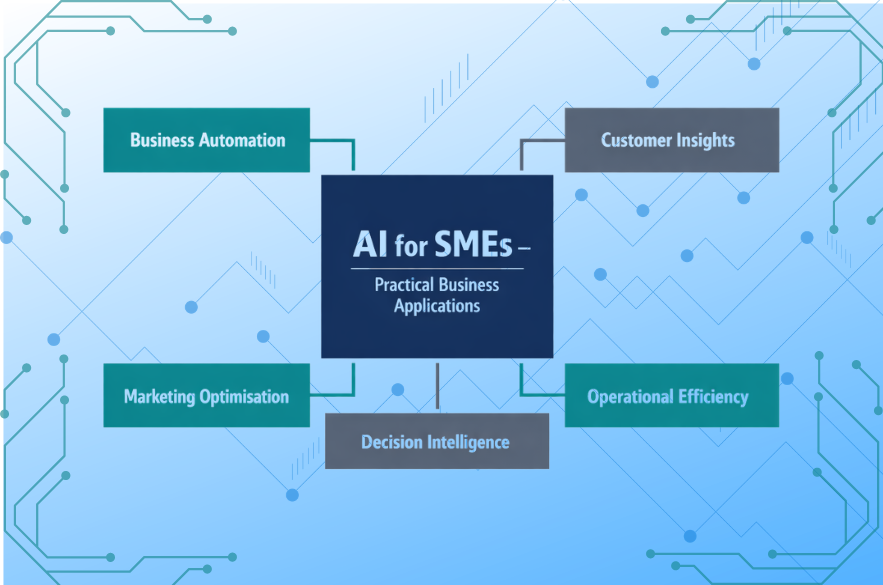
Increasingly, small and medium-sized businesses are discovering that AI can improve operational efficiency, automate routine tasks, and support better decision-making. This shift reflects a broader transformation in the digital economy. Adoption of advanced digital technologies, ncluding artificial intelligence is expected to drive productivity and economic growth across UK industries. For SMEs, the real question is not whether AI will matter, but where it delivers practical value today. Understanding how AI can support everyday operations is the first step toward responsible adoption. Why AI Is Becoming Accessible to SMEs Historically, AI implementation required large datasets, specialist engineering teams, and expensive infrastructure. That barrier is rapidly shrinking. Cloud-based AI platforms and automation tools now allow businesses to integrate intelligent capabilities without building complex systems internally. Microsoft notes that cloud technologies are accelerating access to advanced analytics and AI capabilities for organisations of all sizes. For SMEs, this means AI is increasingly deployed through: The result is not artificial intelligence as a research project, but AI embedded into operational workflows. 1. Automating Routine Business Processes Many SME operations involve repetitive tasks that consume valuable time. AI-driven automation allows businesses to streamline these processes, freeing teams to focus on higher-value work. Common automation opportunities include: Automation does not eliminate human oversight. Instead, it improves efficiency by allowing teams to concentrate on complex decision-making rather than routine administration. Research from McKinsey suggests that automation technologies could automate a significant share of current workplace activities across industries. 2. Improving Customer Insights and Data Analysis Most SMEs already collect valuable business data, through sales systems, marketing platforms, and customer interactions. However, data alone does not produce insight. AI-powered analytics tools help organisations identify patterns, forecast trends, and understand customer behaviour more effectively. According to the OECD, data-driven innovation is becoming a key driver of productivity and competitiveness across economies. For SMEs, AI can support: These insights allow business leaders to make more informed decisions without relying purely on intuition. 3. Enhancing Marketing and Customer Engagement Marketing is one of the most visible areas where SMEs are adopting AI. AI systems can analyse large volumes of customer behaviour data and help personalise communication strategies. Examples include: According to IBM, organisations using AI in marketing analytics can improve campaign performance and customer engagement through data-driven decision-making. For SMEs competing in crowded markets, better targeting can improve both efficiency and return on marketing investment. 4. Supporting Better Business Decisions Many SMEs rely on periodic reports or dashboards to monitor performance. AI systems extend this capability by analysing trends and providing predictive insights. Instead of simply describing what happened, AI can help forecast: Harvard Business Review highlights that organisations integrating advanced analytics into decision processes gain significant competitive advantages in performance and agility. 5. Increasing Operational Efficiency Operational efficiency is often the primary driver for SME AI adoption. AI can support operational improvements across areas such as: Gartner research highlights that AI-enabled decision support systems are becoming a core component of modern operational management. The Strategic Consideration for SMEs Despite the growing accessibility of AI tools, successful adoption requires more than simply deploying new software. Organisations must also address: The Strategic Opportunity for SMEs Artificial intelligence is becoming an increasingly practical tool for SMEs seeking to improve productivity, enhance decision-making, and compete more effectively in digital markets. Today, AI applications are most impactful in areas such as: For many small businesses, the opportunity is not to build complex AI systems, but to integrate intelligent capabilities into everyday processes. The organisations that approach AI strategically, focusing on business outcomes rather than technology hype are most likely to realise meaningful value. Evaluating Where AI Can Deliver Real Business Value Many SMEs recognise the potential of artificial intelligence but struggle to determine where it should be introduced within their operations. Implementing AI without a clear understanding of data readiness, operational workflows, and governance can create unnecessary complexity rather than meaningful value. I-Net Software Solutions works with UK businesses to evaluate where AI can realistically improve operational efficiency, decision-making, and customer experience. Our structured AI readiness and data capability assessments help organisations identify practical opportunities while ensuring that governance, integration, and security considerations are addressed from the outset. For businesses exploring how AI could support their next stage of growth, a structured evaluation often provides the clarity needed to move forward with confidence.
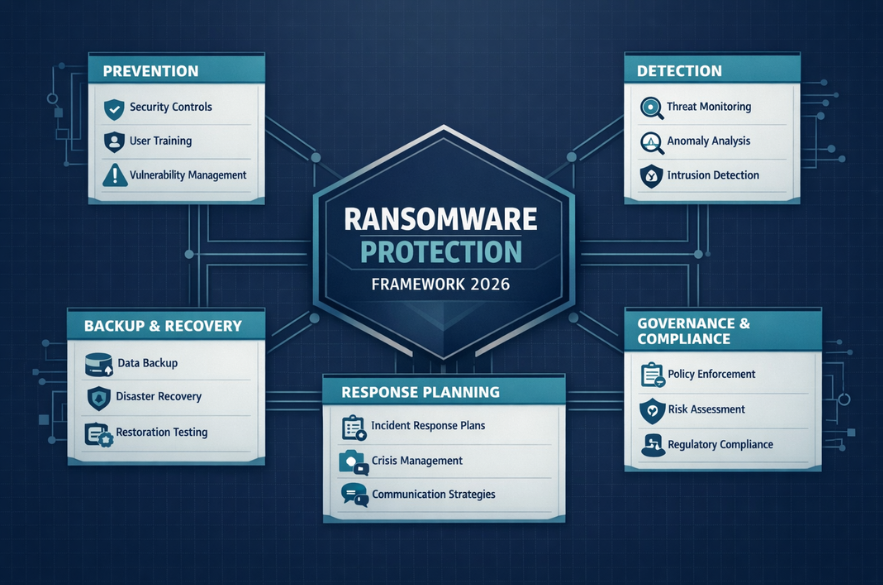
Ransomware is no longer a technical nuisance, it is a board-level risk. The UK Government’s Cyber Security Breaches Survey 2024 reports that 50% of UK businesses identified a cyber security breach or attack in the last 12 months, rising to 70% among medium-sized businesses. Ransomware remains one of the most disruptive forms of attack, capable of halting operations, exposing sensitive data, and triggering regulatory consequences. For UK SMBs, ransomware protection is no longer optional infrastructure. It is a resilience strategy. This guide outlines what effective ransomware protection should look like in 2026. Understanding the Real Risk Landscape Ransomware attacks have evolved from opportunistic encryption events to sophisticated, multi-stage extortion campaigns. The National Cyber Security Centre (NCSC) describes ransomware as one of the most significant cyber threats facing UK organisations. Modern attacks often involve: According to IBM’s Cost of a Data Breach Report 2023, the global average cost of a data breach reached $4.45 million. 1. Prevention: Reducing Attack Surface ansomware protection begins long before an attack. The NCSC’s guidance highlights basic cyber hygiene as the most effective defence layer. Core preventive measures should include: Microsoft reports that enabling MFA can block over 99.9% of automated account compromise attacks. Prevention is about reducing the probability of initial compromise. 2. Detection: Speed Determines Damage Even well-protected businesses can be compromised, the difference between containment and catastrophe is often detection speed. Modern ransomware protection should include: Delayed detection increases encryption scope and exfiltration exposure. 3. Backup & Recovery: Your Ultimate Safety Net The NCSC is explicit: effective offline backups are critical to ransomware resilience. However, backups must be: Backups that are accessible from compromised admin accounts often become encrypted alongside production systems. A recovery strategy should define: Ransomware protection without tested recovery is incomplete. 4. Incident Response Planning When ransomware hits, decision paralysis increases damage, thats why it is recommended having an incident response plan that includes clear escalation procedures and external support contacts. A ransomware response plan should define: Under UK GDPR, certain breaches must be reported to the ICO within 72 hours. 5. Governance & Insurance Expectations Cyber insurance providers increasingly require demonstrable controls before issuing coverage. The UK Government’s guidance for cyber resilience emphasises board-level accountability for cyber risk. Ransomware protection is therefore a governance responsibility. Boards should expect reporting on: Security posture is now measurable. Should You Ever Pay the Ransom? The NCSC does not recommend paying ransoms, as payment does not guarantee data recovery and may encourage further criminal activity. Paying may also raise regulatory and reputational issues. The stronger your preparation, the less leverage attackers hold. The Strategic Reality for UK SMBs Ransomware protection is not a software purchase. It is a layered resilience framework combining: The Cyber Security Breaches Survey shows that smaller organisations are less likely to implement advanced controls, despite facing similar threat volumes. If your organisation has antivirus software but no structured ransomware resilience framework, the risk remains unmanaged. I-Net Software Solutions provides a ransomware protection and cyber resilience review tailored to UK SMBs. We assess prevention controls, detection capability, backup integrity, governance maturity, and regulatory exposure. The objective is not fear-based selling, it is operational continuity.
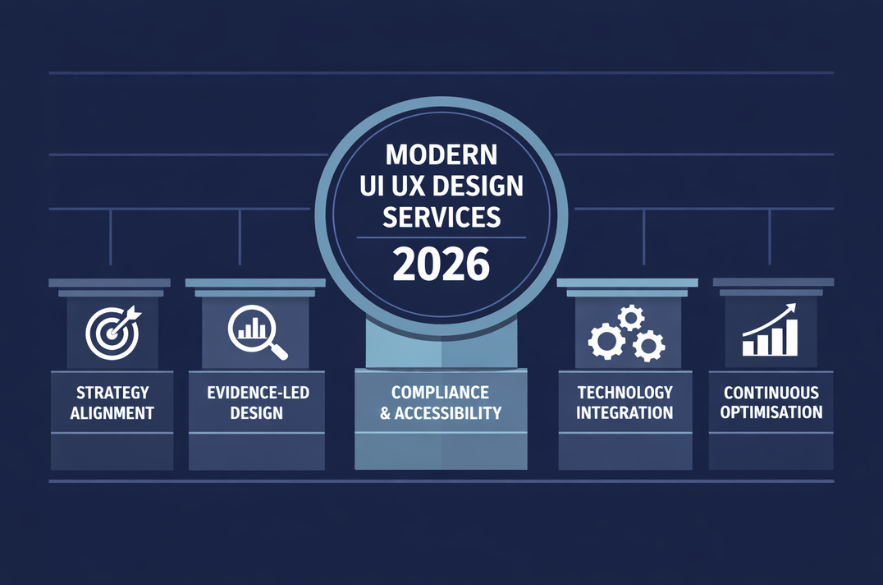
The UK’s digital economy contributed £158 billion in gross value added in 2022 according to the Department for Digital, Culture, Media & Sport. At the same time, digital adoption expectations are rising. The Office for National Statistics reports that 92% of UK adults are recent internet users That means your customers assume frictionless digital experiences as standard. When decision-makers search for “UI UX design services,” they are rarely looking for colour palettes. They are evaluating whether an agency can: 1. Strategic Alignment, not Surface-Level Redesign A credible UI/UX agency should begin with business objectives, not wireframes. Research published in Harvard Business Review demonstrates that companies embedding design into business strategy outperform industry benchmarks in revenue growth and shareholder returns. This has direct implications for SMBs. You should expect: If an agency cannot articulate how interface changes connect to conversion rate, lead quality, retention, or support costs, the engagement remains cosmetic. 2. Evidence-Led Decision Making Opinion-driven design is increasingly indefensible. IBM research indicates that every $1 invested in UX can return up to $100 in ROI when backed by research and usability testing. Modern UI/UX design services should therefore include: For UK SMBs, this matters because data maturity is improving across sectors. The UK Government’s Digital Strategy emphasises data-driven transformation across businesses Design must now be evidence-based. 3. Compliance and Accessibility by Design Accessibility is no longer optional. The Equality Act 2010 requires service providers, including digital services, to make reasonable adjustments for disabled users. Additionally, the ICO makes clear that organisations must implement “data protection by design and by default” under UK GDPR. UI/UX agencies in 2026 should therefore embed: If accessibility is treated as a post-launch checklist item, the agency is behind. 4. Integration With Your Technology Stack UX does not operate in isolation. Modern SMBs rely on CRM platforms, marketing automation systems, payment gateways, ERP systems, and cloud infrastructure. Microsoft reports that cloud-enabled businesses demonstrate increased operational resilience and productivity gains. UI/UX design services should account for: An interface that looks clean but breaks operational efficiency creates hidden cost. 5. Measurable Commercial Impact The Verizon Data Breach Investigations Report highlights that poor system design and human error remain significant contributors to security incidents While security is one angle, commercial performance is equally measurable. A competent agency should define: UX should reduce friction and increase clarity, both of which translate into measurable financial outcomes. 6. Continuous Optimisation, Not One-Off Delivery Digital environments evolve quickly. Customer expectations also change as competitors improve. In 2026, you should expect: UI/UX is now an operational discipline, not a project. Raising the Standard of Expectation The maturity of the UK digital economy means expectations are higher. Customers assume seamless digital journeys. Regulators expect compliance by design. Leadership teams require measurable ROI. UI UX design services should now deliver: Anything less is outdated. If you are evaluating UI UX design services and want clarity before committing to a redesign, I-Net Software Solutions offers a structured UX performance and governance review tailored for UK SMBs. Rather than focusing on visuals alone, we assess: The goal is not redesign for its own sake, but measurable improvement. Recommended Read
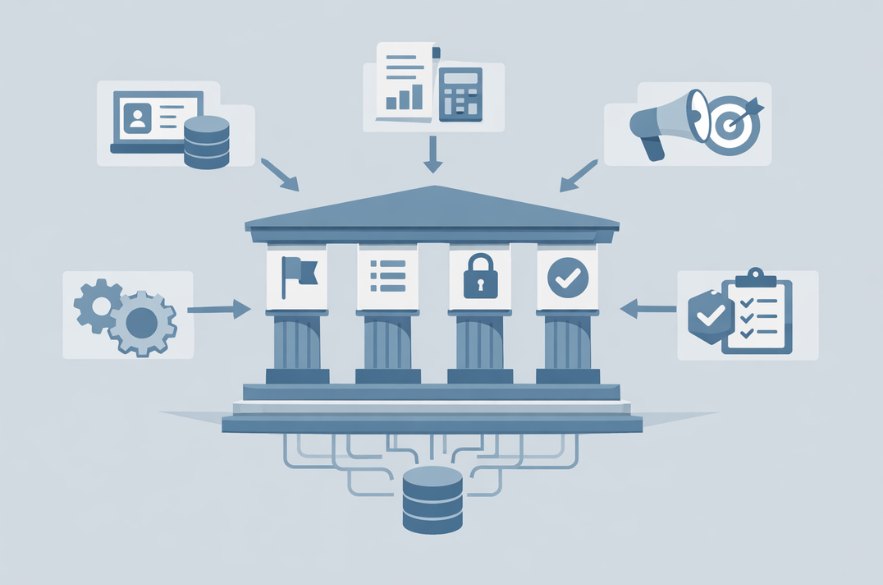
Data governance is often viewed as an enterprise-only discipline, heavy with committees, policies, and compliance documentation. For small and medium-sized businesses, that perception creates hesitation. Yet as organisations rely more on analytics, automation, and AI, clarity around data ownership, definitions, and accountability becomes essential. A data governance framework for SMBs does not need to be bureaucratic. It needs to be practical, proportionate, and aligned with real decision-making. Why Data Governance for Small Businesses Is Becoming Critical Digital transformation is not limited to large enterprises. CRM platforms, marketing automation, cloud accounting, SaaS tools, and AI-powered analytics are now standard components of SMB operations. Each of these systems generates data. But few businesses define: The OECD highlights that effective data governance underpins trustworthy AI and digital transformation initiatives. What Data Governance Actually Means in Practice Before designing a framework, it is important to clarify what data governance is and what it is not. Data governance is: Data governance is not: ISO 8000 standards reinforce that data quality is contextual and must be fit for its intended use. The Real Risks of Operating Without Governance Many SMBs function for years without formal governance. The risks often emerge gradually rather than dramatically. 1. Conflicting Reports If finance recognises revenue differently from sales, dashboards contradict each other. Leadership confidence declines. Without shared definitions, reporting becomes negotiation rather than analysis. 2. Compliance Exposure Under UK GDPR, organisations must demonstrate appropriate data handling, security, and accountability measures. A lack of governance increases regulatory vulnerability. 3. AI and Automation Failure AI systems amplify the quality of input data. If underlying datasets are inconsistent or incomplete, AI outputs become unreliable. Designing a Lightweight Data Governance Framework for SMBs Enterprise governance models often fail in smaller organisations because they attempt to replicate large-scale oversight structures. A practical framework for SMBs should focus on four structured components. 1. Data Ownership and Accountability Every critical dataset must have: Ownership does not require a full-time data steward. It requires clarity. For example: Ownership ensures accountability when discrepancies arise. 2. Standardised Definitions and Data Glossary A simple shared glossary prevents internal misalignment. Define clearly: Without standardisation, different systems calculate the same metric differently. Governance aligns terminology across tools and teams. Without standardisation, different systems calculate the same metric differently. Governance aligns terminology across tools and teams. 3. Access Control and Data Security Governance must align with security best practices. Access should follow least-privilege principles: The ICO emphasises structured access control as part of compliance obligations. 4. Documented but Proportionate Processes Documentation should be: It should define: The goal is clarity, not bureaucracy. How to Implement Data Governance Without Disrupting Operations Step 1: Identify Decision-Critical Data Start with the data that informs high-impact decisions: Governance begins where financial or operational risk is highest. Step 2: Align CRM and Finance Systems Many inconsistencies originate between CRM and accounting platforms. Align: Gartner identifies integration between systems as foundational for scalable analytics. Step 3: Introduce Ownership Meetings (Lightweight) Short, periodic reviews of: These meetings reinforce accountability without creating bureaucracy. Step 4: Establish Data Quality Indicators Track simple indicators such as: Governance must be measurable. Data Governance Readiness Review At I-Net Software Solutions, we help UK organisations design practical, proportionate data governance frameworks that support analytics, AI adoption, and regulatory compliance, without enterprise bureaucracy. Our Data Governance Readiness Review helps you: If your organisation relies on data to make strategic decisions, governance should be intentional, not accidental. FAQs Recommended Read